Click around a real Supportman workspace, before you sign up.
We seeded a sample workspace with weeks of tickets, ratings, and AI quality scores, so you can explore the dashboard and drill into individual conversations. Same views your team would see, with nothing to install and no account to create.
Sample data only. Nothing you do in the demo touches a real workspace. No Intercom admin? Try without installing.
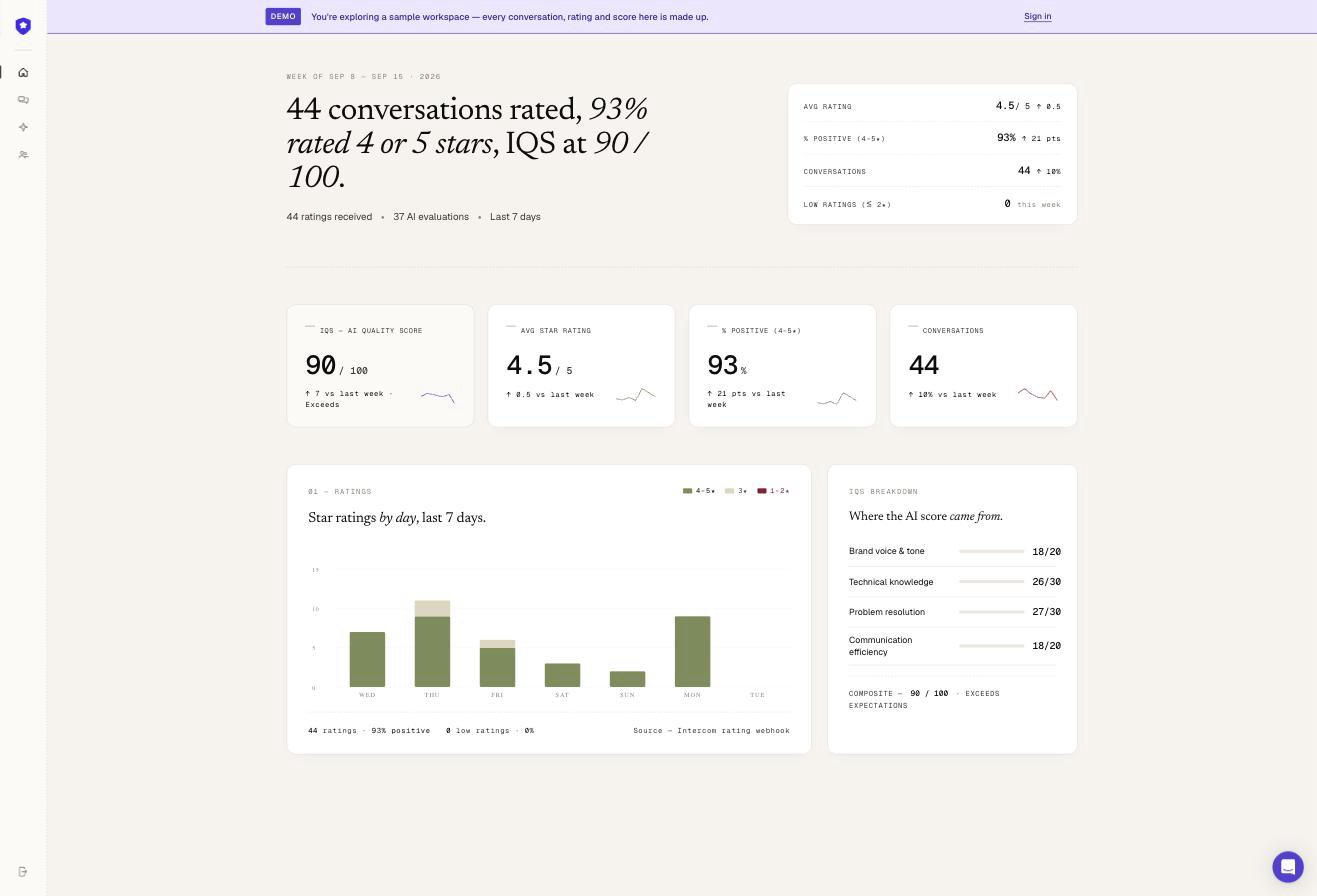
Two views, everything your team would actually use.
No sales-deck screenshots. This is the live app, running on a fictional team (Dunder Mifflin, AFC Richmond or Hogwarts, rolled each visit), so you can see how the numbers actually move.
Dashboard
Ratings volume, coverage, DSAT rate, and IQS trend for the week, with week-over-week deltas, a daily ratings histogram, and an IQS sparkline.
Ratings overview
CSAT, predicted CSAT, DSAT rate, and IQS trend, with week-over-week deltas.
Team stats
Volume and response-time metrics, high level, always current.
Drill down
Every chart is backed by the conversations behind it. Click through from the number to the threads that produced it.
Conversations
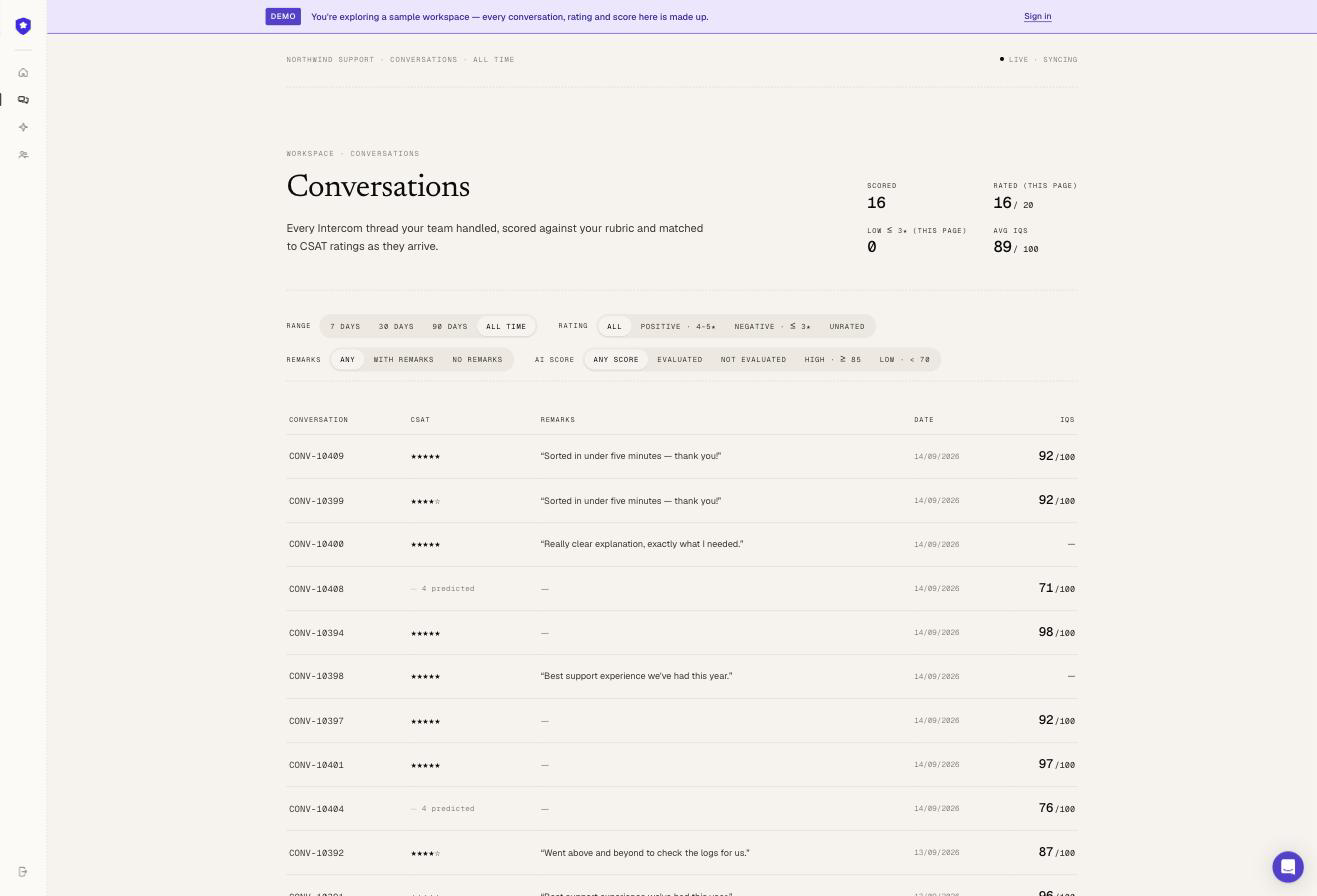
Every conversation your team handled, in one list. Filter by date range, rating, whether it has a customer remark, or AI score band. Every row shows the CSAT and the IQS side by side — open a thread for the full breakdown.
An AI quality score, graded on a rubric.
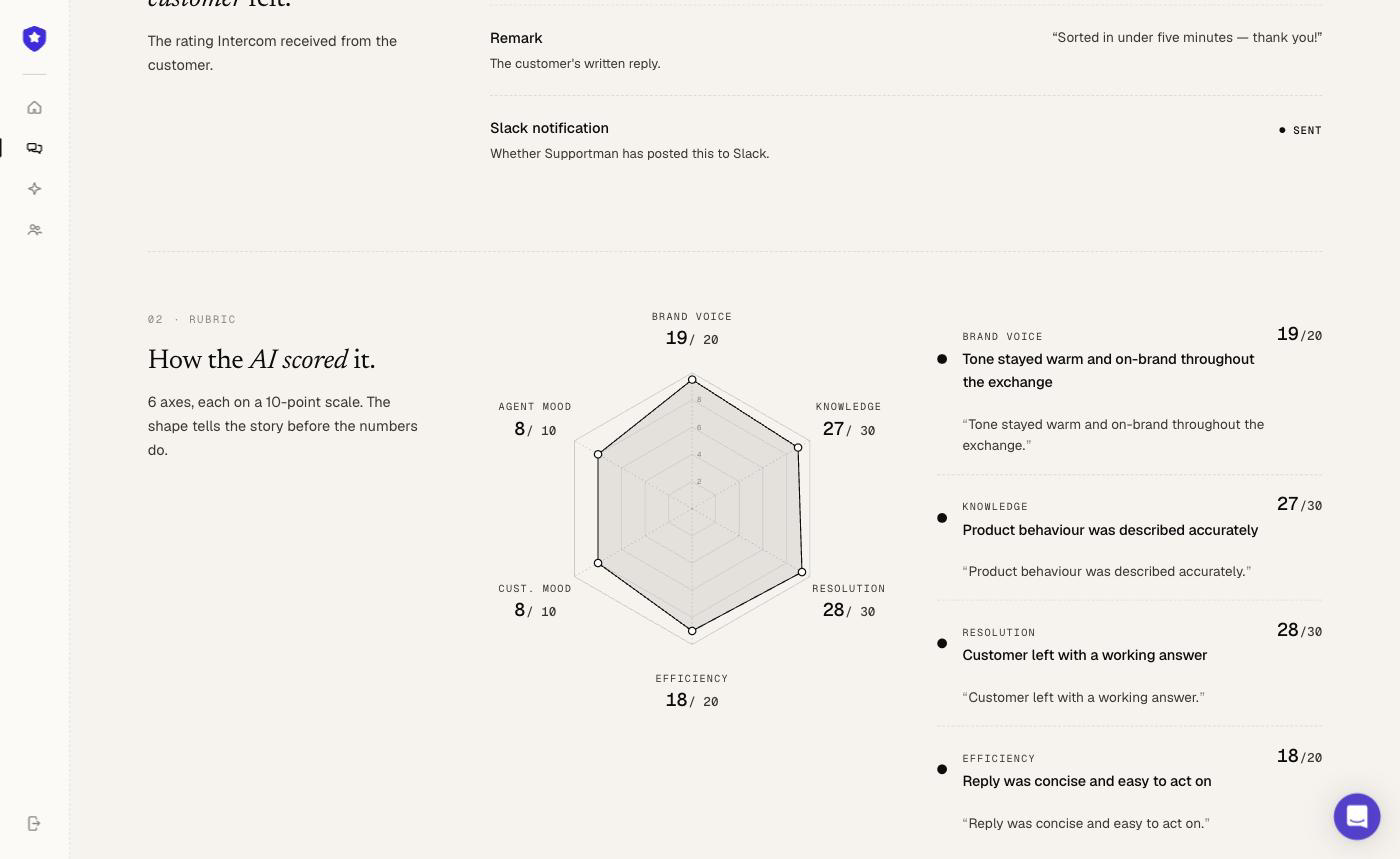
Open any conversation in the demo and you'll find its CSAT rating (or a predicted one, where the customer never left one) alongside an IQS, a quality score graded against a four-part rubric, the same one your own team would customize. Here's a real one:
Do I need to log in to see the demo?
No. The demo at app.supportman.io/demo is public. No account, no OAuth, no credit card. Just open the link.
Is the data in the demo real?
No. It’s a seeded sample workspace with realistic conversation volume, ratings and AI scores, staffed by one of three fictional teams (Dunder Mifflin, AFC Richmond or Hogwarts), picked at random each visit. Nothing in it is tied to a real customer.
What can I actually click on?
The dashboard (ratings, coverage, team response-time stats, and IQS trend), and the conversation list, filterable by date range, rating, remarks, and AI score. Open any thread for its full CSAT, IQS, and rubric breakdown.
How is this different from booking a demo?
The live demo is self-serve. Explore it yourself, on your own time, in a couple of minutes. Booking a demo gets you a guided walkthrough with someone from the team, and a chance to ask questions specific to your setup.