
Intercom does not post conversation ratings to Slack through its native Slack app. To get every CSAT score in a channel the moment a customer submits it, use Supportman (purpose-built, under two minutes), build a Zapier workflow, or use Intercom Workflows for threshold-based DSAT alerts only.
Start here if you are choosing a page in this cluster: this article is the ratings-to-Slack setup. The broader comparison lives in connect Intercom and Slack. Product overview: CSAT to Slack and DSAT alerts. A dedicated negative queue: how to set up a DSAT channel. After a Terrible lands: respond to negative CSAT.
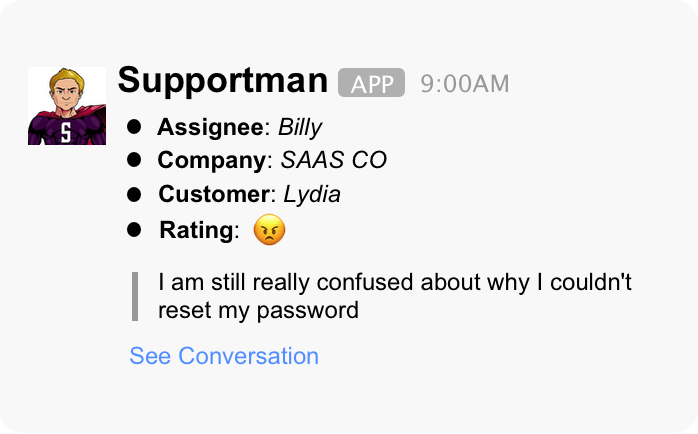
This is the flow above end to end: every Intercom rating posts to Slack the moment a customer submits it, remark and conversation link included. Split negative scores to a DSAT channel if you want leads alerted without the whole team watching every 😠 roll in.
Which option should you use?
| Option | Every rating in Slack | DSAT-only alert | Weekly reports | Setup & maintenance |
|---|---|---|---|---|
| Intercom native Slack app | No | No | No | Minutes; conversation handling only |
| Intercom Workflows + Notify Slack | No | Yes, after rating branch | No | Hours; branch logic, channel setup, ongoing tuning |
| Zapier | Yes, per Zap | Separate Zap | Manual to build | Hours per workflow; breaks on field changes |
| Supportman | Yes, real-time | Yes, separate channel | Yes, Friday cadence | Under two minutes; OAuth + channel pick |
Pick the lightest workflow that matches the requirement. A one-off DSAT ping for leads can live in Intercom Workflows. A persistent CSAT feed the whole team reads needs Supportman or Zapier.
Why Intercom does not send ratings to Slack
Intercom's Slack integration focuses on conversation handling: new conversation pings, replying to customers from a Slack channel, qualifying leads, and closing threads. Ratings live in Intercom's reporting UI and on individual conversation records. They are not part of the native Slack notification set.
That gap shows up in two places teams feel it:
- Speed. A manager checking Intercom once a day misses recoverable DSAT while the customer is still engaged.
- Visibility. Agents never see positive ratings land unless they happen to open the inbox. A shared Slack feed fixes that.
Supportman fills this hole: every Intercom rating in Slack, with optional DSAT routing. Overview: Intercom Slack integration for support teams.
Intercom Workflows for DSAT alerts
Intercom Workflows can post to Slack when a conversation rating crosses a threshold. This is the native path when you only need leadership alerted on bad scores, not a full ratings feed for the team.
Typical pattern from Intercom's CSAT workflow guide:
- Trigger when a conversation closes (or use the Ask for conversation rating template).
- Enable Wait for customer to give a rating before continuing the workflow so the branch runs after the score is confirmed.
- Branch on rating value (for example, Terrible, Bad, or OK).
- Add a Notify Slack step on the low-rating path to a channel set to Post Slack notifications only.
Limits to plan for:
- Not a full feed. Workflows suit threshold alerts, not broadcasting every positive rating to the team.
- Close-trigger coupling. Workflow CSAT fires on your close rules; Supportman's feed fires on every rating event regardless of how the survey was sent.
- Thin Slack payload. Workflow notifications include selected conversation attributes, not the same formatted rating card Supportman posts. Teams often still open Intercom to read the remark.
- Branch debugging. Community threads report workflows firing on every closed conversation instead of only low ratings when branch predicates are misconfigured — test with one known-bad and one known-good conversation before going live.
For DSAT-only native alerts, this path is valid. For every rating plus weekly reporting, skip straight to Supportman below.
Send Intercom ratings to Slack with Supportman
Supportman listens for Intercom conversation ratings and posts each one to Slack immediately. Setup is OAuth on both sides, then channel selection in the Supportman Slack App Home. No Zaps, no CSV exports, no engineering ticket. Product page: CSAT to Slack; negative routing: DSAT alerts.
| Step | What you do | Time |
|---|---|---|
| 1 | Install Supportman from supportman.io (Add to Slack) | ~1 min |
| 2 | Authorize Slack, then Intercom | ~1 min |
| 3 | Pick main ratings channel in App Home | ~30 sec |
| 4 | Optional: DSAT channel + emoji filters | ~2 min |
Step 1: Connect Slack and Intercom
Go to supportman.io and click Add to Slack to start a free trial (no credit card).
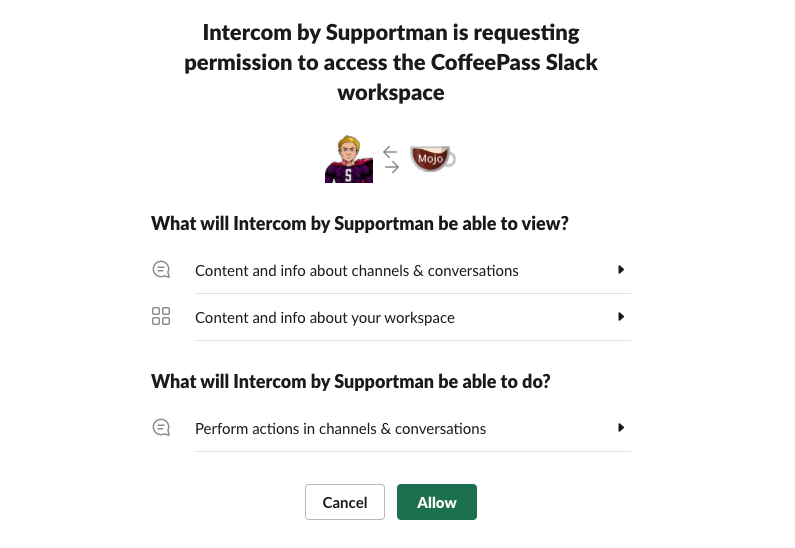
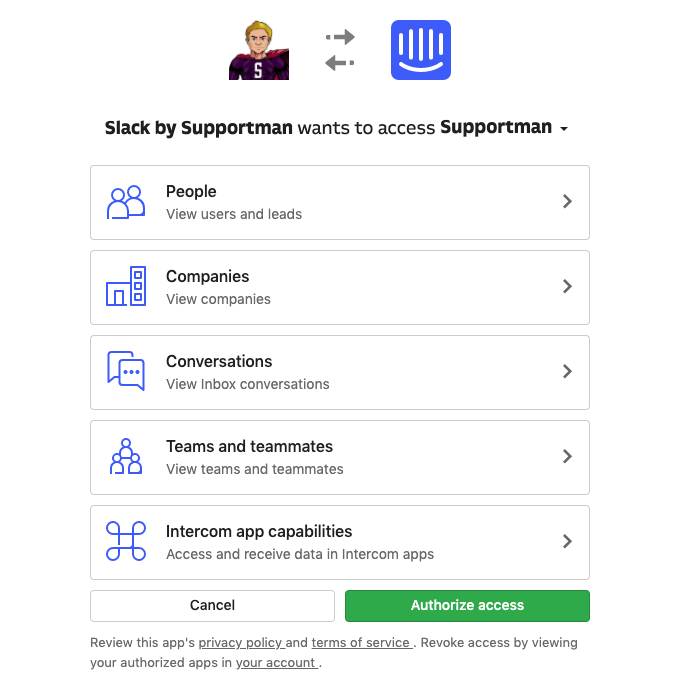
Authorize Supportman in Slack, then authorize Intercom. Supportman needs read access to conversations and ratings so it can post them to your channels. It does not send messages to customers on your behalf.
Once connected, open the Supportman app in Slack. Supportman creates a default #intercom-ratings channel if you do not pick one yet.
Step 2: Pick your ratings channel
In the Supportman App Home (search for Supportman in Slack, then open the Home tab), set the main channel where ratings should post. Most teams use something like #intercom-ratings or #csat and invite the full support team.
Every rating that passes your filters appears there in real time. Positive scores are worth broadcasting: they reinforce good work and give agents signal that customers noticed.
Step 3: Split DSAT to a separate channel
Putting every rating in one channel creates a tension: managers need instant DSAT alerts, but agents do not always need a public feed of every 😠 tied to their name. The usual workaround, checking Intercom manually, is too slow.
On Supportman's Basic plan and above, route selected non-positive ratings (😠, 🙁, 😐) to a dedicated DSAT channel while positive ratings stay in the main feed. Typical setup:
- #intercom-ratings — all positive ratings for the team
- #intercom-dsat or #support-leads — negative and neutral ratings for managers
Full walkthrough: how to set up a dedicated DSAT channel in Slack. When a bad rating lands, follow what to do when a customer leaves a negative CSAT rating.
Step 4: Filter which ratings post
App Home settings let you control noise:
- Emoji filters — post only selected rating types (e.g. skip neutral if volume is high)
- Remark-only mode — post only when the customer left a written comment
- Fin exclusion — separate human-agent ratings from Fin-handled conversations when benchmarking AI vs humans
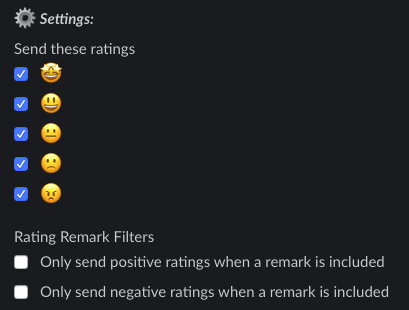
Start permissive (all ratings, all emojis) for two weeks, then tighten filters once you know your volume. A channel that fires 200 times a day gets ignored; one that fires 15 actionable times does not.
What each Slack notification includes
Each rating message is designed so someone can decide whether to act without opening Intercom first:
- Rating emoji and any customer remark
- Assignee and customer name
- Company (when available)
- See Conversation link back to the Intercom thread
Ratings are only part of what Supportman sends to Slack. The same connection also delivers Friday team and per-agent reports and AI quality scores on closed conversations, including predicted CSAT on unrated threads. See every Intercom metric explained for how those pieces fit together, and how to build a CSAT report in Intercom for the dashboard side.
Zapier as an alternative
You can wire Intercom's "conversation rating received" trigger to a Slack "send channel message" action in Zapier. That works for basic alerts if you already pay for Zapier and only need a single channel.
Trade-offs compared to Supportman:
- You format and maintain the message payload yourself
- DSAT routing, weekly reports, and AI scoring require additional Zaps or other tools
- Cost scales with task volume
- Breakage when Intercom changes field names
For a one-line notification experiment, Zapier is fine. For ongoing support-quality visibility, a dedicated integration is less fragile.
Intercom CSAT to Slack FAQ
Can Intercom send CSAT to Slack natively?
Not through the Slack app alone. Intercom Workflows can Notify Slack on low ratings after a branch, but they do not replace a real-time feed of every score. For all ratings in a channel, use Supportman or Zapier.
How fast do ratings appear in Slack?
Supportman posts each rating within seconds of the customer submitting it in Intercom. There is no batch delay or daily digest for the real-time feed.
Can I send only negative ratings to Slack?
Yes. Configure a DSAT channel in Supportman App Home to receive 😠, 🙁, and 😐 ratings while positive scores stay in your main ratings channel.
Does Supportman work with Intercom Fin?
Yes. Ratings on Fin-handled conversations post to Slack like any other. You can exclude Fin from the feed when you want to benchmark human agents separately.
Do I still need Intercom's Slack app?
If reps reply to customers from Slack, yes. Supportman does not replace that. It adds CSAT visibility, reporting, and QA scoring on top.