
For support quality in Slack, start with Supportman: CSAT and DSAT ratings, Friday team reports, AI quality scoring, and share-to-Slack from the inbox. Zapier can copy individual Intercom events into Slack if you want to maintain the Zaps yourself. A custom app on the Intercom and Slack APIs is the last resort when neither covers a one-off workflow.
If you only need CSAT in Slack, jump to how to send Intercom ratings to Slack or the Intercom Slack integration overview.
Start with Supportman: CSAT ratings in Slack, Friday team reports, AI scoring on closed conversations, and share-to-Slack from the inbox. Setup takes about two minutes.
Which Intercom Slack integration should you use?
| Option | Reply to customers from Slack | CSAT ratings in Slack | Weekly team reports | AI quality scoring | Share any conversation to Slack | Typical setup |
|---|---|---|---|---|---|---|
| Intercom native | Yes | No | No | No | Per-thread channel only | Minutes |
| Zapier | With custom Zaps | Possible, per Zap | Manual to build | No | Manual to build | Hours per workflow |
| Supportman | No | Yes, real-time | Yes, Friday cadence | Yes, every closed conversation | Yes, from inbox app | Under 2 minutes |
| Custom API build | Whatever you build | Whatever you build | Whatever you build | Whatever you build | Whatever you build | Engineering sprint |
Every option needs OAuth permissions on both sides. Read each vendor's scope list before connecting production workspaces.
Intercom's native Slack app
Intercom built the only integration that turns a Slack channel into a live customer thread. When a new conversation arrives, Intercom posts a notification. Choose Reply in Channel and Slack creates a dedicated channel; messages you send there go back to the customer in the Messenger.
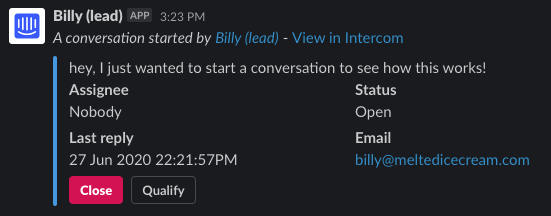
From that channel you can add notes, pull in teammates, qualify a lead, or close the conversation with Slack commands. Activity in Intercom syncs back to the channel so others can follow along without opening the inbox.
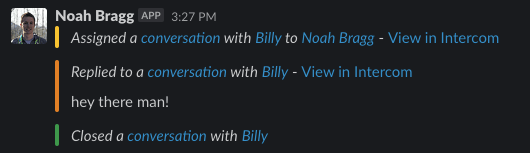
Where it falls short for support ops: no CSAT ratings pushed to Slack, no weekly volume or response-time summaries, no AI evaluation of closed conversations, and no way to share an arbitrary inbox conversation to a channel on your schedule. It is built for real-time conversation handling, not quality reporting.
Best for: teams that want reps answering customers from Slack and do not need satisfaction metrics in channels.
Zapier and no-code automation
Zapier pairs an Intercom trigger (new conversation, tag added, new rating, etc.) with a Slack action (post to channel, DM, create channel). You configure each workflow separately.
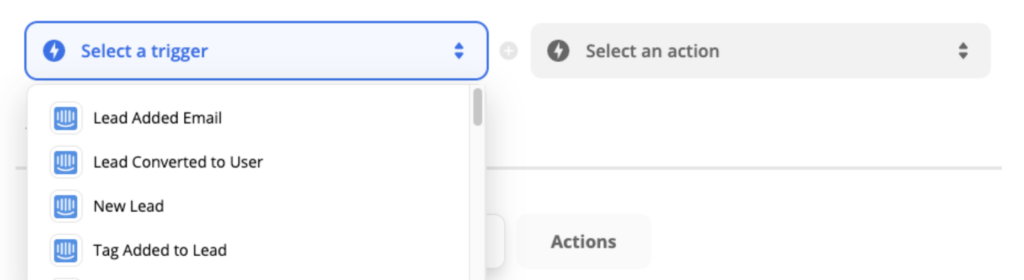
That flexibility is the trade-off. A CSAT-to-Slack Zap is doable, but you format the payload yourself, maintain it when Intercom fields change, and pay per task once volume grows. Bidirectional Zaps (Slack message updates Intercom company fields) need careful testing so you do not write to the wrong record.

Best for: ops teams already living in Zapier who need a one-off notification Intercom and Supportman do not cover.
Watch for: HTML leaking into Slack messages, Zap breakage when Intercom updates API fields, and cost at scale. For CSAT specifically, compare build time against a purpose-built ratings feed.
Supportman for support quality in Slack
Supportman is the Slack app built for Intercom support teams that care about satisfaction and quality. Install it when you want ratings, weekly reports, and QA scores in the channels the team already watches.
Real-time CSAT and DSAT. Every conversation rating lands in Slack the moment a customer submits it: emoji score, remark, assignee, and a link back to the thread. Route negative ratings to a dedicated #dsat channel so the team sees bad scores while recovery is still possible.
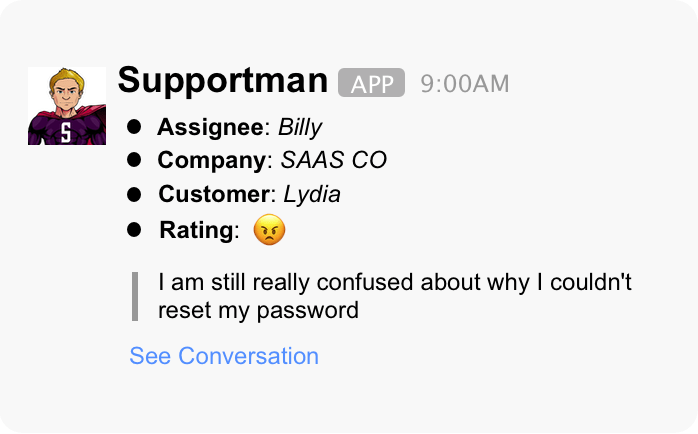
Friday team and per-agent reports. Volume, response times, and a seven-day ratings breakdown post to Slack automatically. Per-agent DMs show individual trends without someone pulling Intercom reports by hand. See what belongs in a weekly support report.
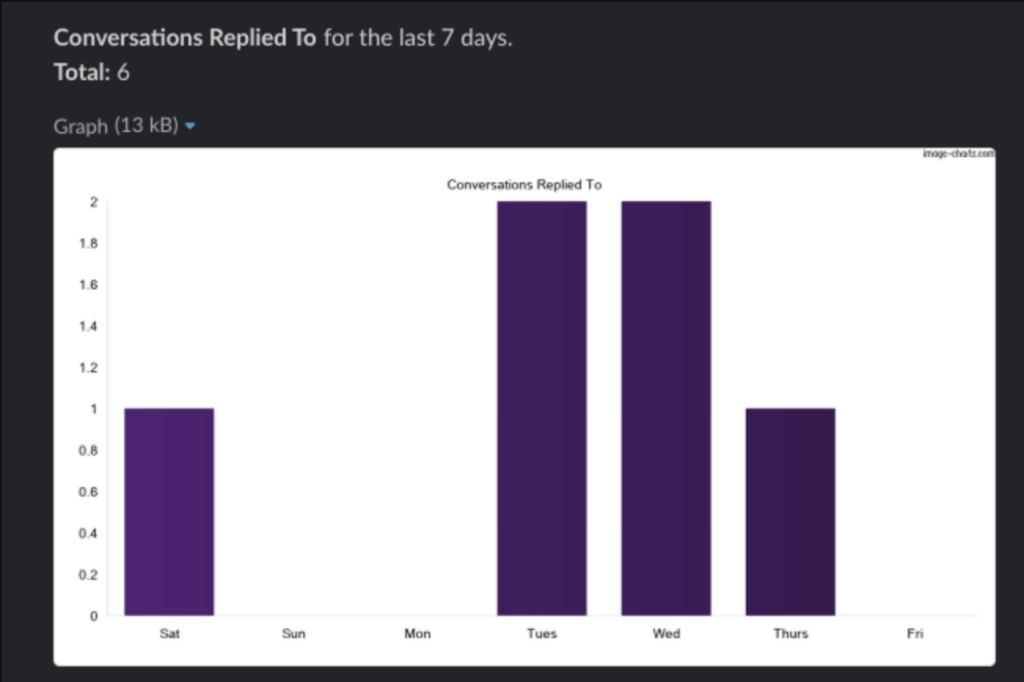
AI quality scoring (IQS). Every closed conversation gets scored against your rubric, including predicted CSAT on threads without a customer rating. That adds coverage beyond the customers who choose to respond. Related: building a QA rubric agents can actually use.
Share any conversation from the inbox. The Supportman Inbox App lets agents push a conversation to a Slack channel or schedule a DM reminder (now, in 15 minutes, tomorrow at 9am). Full walkthrough: how to share Intercom conversations to Slack.
Best for: support leads who live in Slack and want CSAT visibility, weekly reporting, and QA coverage without building Zaps or exporting CSVs.
Honest limitation: you reply to customers in the Intercom inbox, not through Supportman. Slack is for quality visibility, escalations, and approvals.
Building your own integration
Both Intercom and Slack publish APIs for private apps scoped to your workspace. You can wire exactly the notifications you want, store data in your warehouse, or combine Intercom events with internal tools.
Budget engineering time for OAuth, webhook reliability, rate limits, and ongoing maintenance when Intercom ships inbox changes. Most teams under 50 agents get a faster return from native + Supportman than from a custom build unless they have a dedicated platform team. Before you pick a stack, read what Intercom Reports cannot show and send Intercom ratings to Slack for the CSAT layer.
Intercom Slack integration FAQ
Does Intercom integrate with Slack?
Yes. Supportman posts CSAT, weekly reports, and QA scores into Slack for Intercom teams. Zapier can copy individual Intercom events into Slack if you want to maintain the automations yourself.
Can I get Intercom CSAT ratings in Slack?
Yes. Supportman sends every rating to Slack in real time, with optional routing for negative scores only. Zapier can also post ratings if you build and maintain a Zap.
Should I use Zapier or Supportman?
Use Supportman when the goal is CSAT visibility, weekly support reports, AI quality scoring, or sharing conversations from the inbox. Use Zapier for bespoke one-off triggers you are willing to maintain.
How long does Supportman setup take?
Under two minutes: connect Slack, connect Intercom, pick channels for ratings and reports. No engineering ticket required.
Does Supportman handle customer replies from Slack?
No. Agents reply in the Intercom inbox. Supportman is the quality and reporting layer in Slack: ratings, weekly reports, QA scores, and share-to-Slack.